Eye Tracker
Look at a monitor and your cursor and keyboard focus follow. Webcam glance-to-switch for multi-monitor setups: private, fully offline, Windows/macOS/Linux.
- Proje türü
- Open Source
- Dil
- Python
- Yıldız
- 0
- Fork
- 0
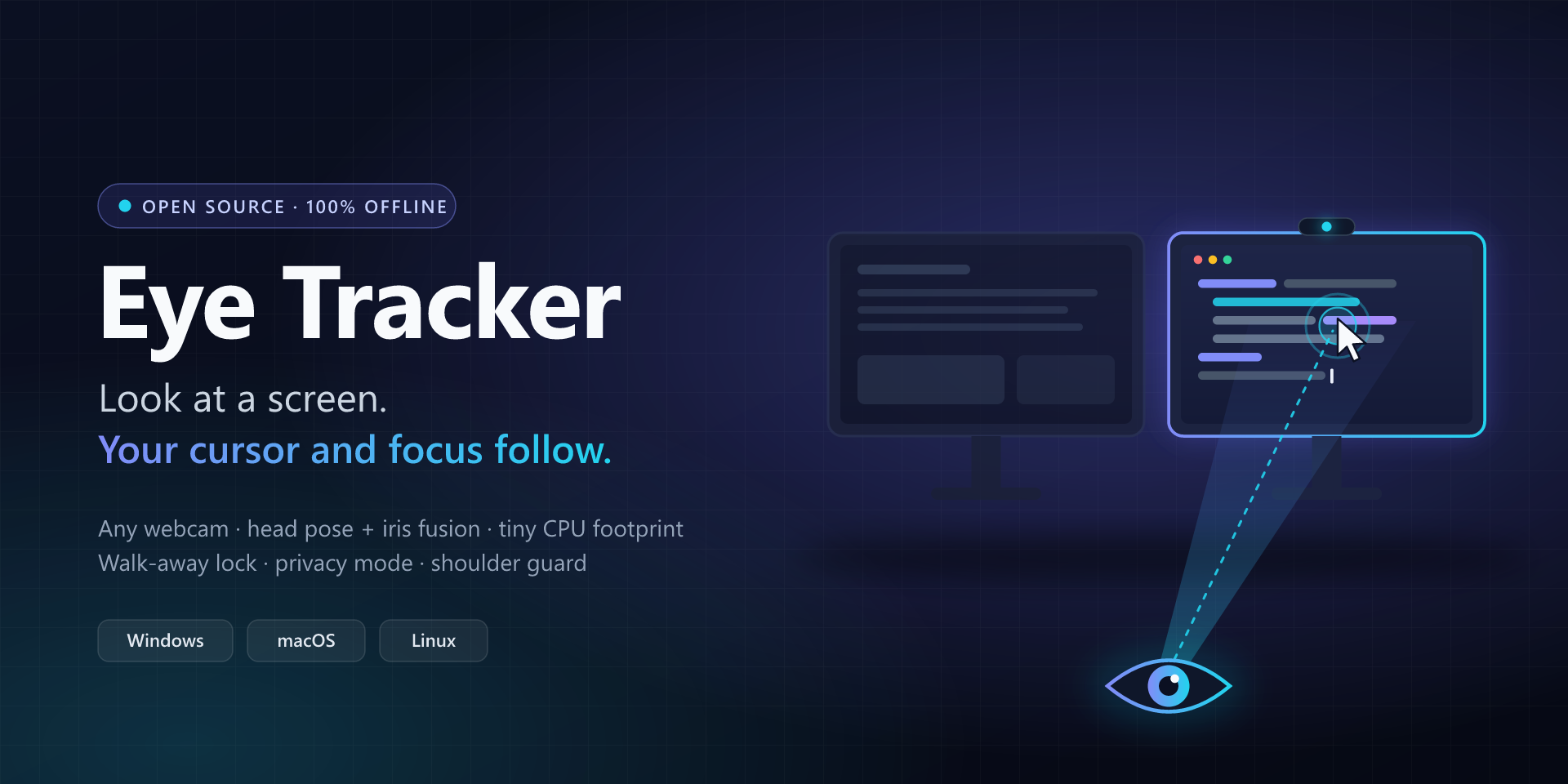
Eye Tracker
Look at a monitor. Your cursor and keyboard focus follow.
Any webcam, fully offline, on Windows, macOS and Linux.



-22D3EE)

English · Türkçe
Why Eye Tracker
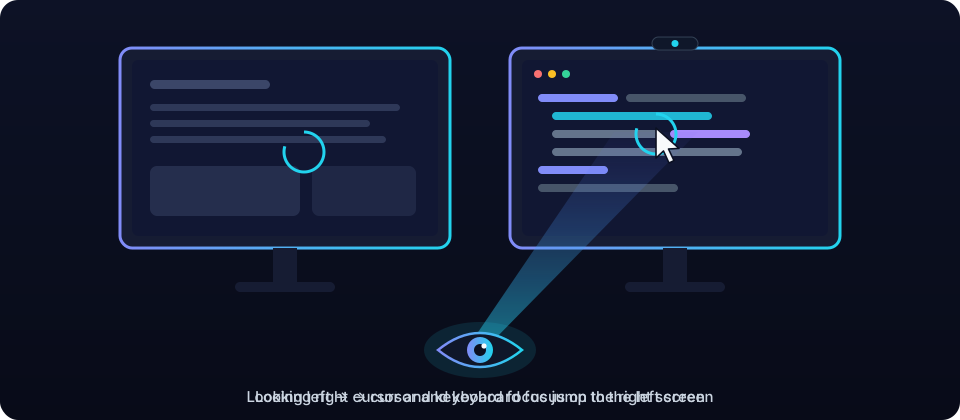
With two or more monitors, you look at the screen you want to work on and then still have to drag the mouse there and click before you can type. Eye Tracker removes that step. It watches your head and eyes through the webcam you already have and moves the cursor, and keyboard focus, to the monitor you are looking at. Your hands stay on the keyboard.
It is an open-source, cross-platform take on the idea behind Glance Switch, with extras for privacy and presence: it locks your computer when you walk away, can cover the screen when someone looks over your shoulder (opt-in), and never sends a single byte over the network.
Features
| Feature | What it does | |
|---|---|---|
| 👀 | Glance to switch | Look at another monitor for 0.3 s and the cursor lands there, where you left it last time. |
| ⌨️ | Keyboard focus follows | The last window you used on that monitor gets focus, without a synthetic click. |
| 🧠 | Head pose + iris fusion | 478 face landmarks, including both irises, not just head direction. Works with glasses. |
| 🛡️ | No accidental switches | Dwell time, hysteresis at the bezels, typing and mouse grace periods, and glances at your phone or desk are ignored. |
| 📖 | Reading-aware | Copying from a document on the other screen? Focus stays in your editor while you read. |
| 🎯 | Learns as you work | Every time you move the mouse somewhere and stop, the calibration gets a little better. |
| 🚶 | Walk-away lock | No face and no input for 45 s: lock and/or displays off, announced by a 10 s countdown during the last seconds. Displays wake when you return. Until the setup assistant is finished, it only shows a notification. |
| 🙈 | Privacy mode | One hotkey releases the camera completely; the webcam light goes out. |
| 👥 | Shoulder guard | Opt-in (Settings → Presence & privacy): a second face behind you for 2 s gets a privacy curtain, a notification or a lock. |
| 📞 | Plays nice with calls | Releases the camera automatically on Windows and Linux when Teams, Zoom or another app needs it. On macOS, add your call apps to Pause while these apps run. |
| 🔋 | Tiny CPU footprint | Adaptive frame rate and a motion gate that skips unchanged frames. |
| 🖥️ | Any layout | Two, three or more monitors, side by side, stacked, or a laptop below. One calibration per desk setup. |
| 🚀 | Starts with your computer | Optional start at login on all three platforms, in the background. |
Walk-away lock and the shoulder guard need the camera: they pause while tracking is paused, in privacy mode, during calibration and while another app has the camera.
Download
| Platform | Package | |
|---|---|---|
| Windows 10/11 x64 | Installer .exe or portable .zip | Download |
| macOS 14+ Apple silicon | .dmg | Download |
| Linux x86_64 | .AppImage or .tar.gz | Download |
Every release ships SHA256SUMS.txt and GitHub build-provenance attestations. Builds are not
code-signed yet; see platform notes for the one-time Gatekeeper and
SmartScreen steps. The portable ZIP keeps its settings in your user profile like the installed app;
start it with --config-dir FOLDER to keep everything in a folder of your choice.
Quick start
- Install and start Eye Tracker. An eye icon appears in the tray (menu bar on macOS).
- Follow the short setup assistant: pick your camera, grant permissions on macOS, choose what happens when you walk away. Until it is finished, walking away only shows a notification. (If Eye Tracker first starts at sign-in, the assistant is offered as a notification; you can also open it with Run setup assistant… under Settings → General.)
- Calibrate: look at the dots as they appear, about 15 seconds per monitor. (Calibration guide)
- Work normally. Look at the other monitor and start typing.
Default hotkeys:
| Action | Windows | macOS | Linux (X11) |
|---|---|---|---|
| Pause / resume tracking | Ctrl+Alt+Win+T | ⌃⌥⌘T | Ctrl+Alt+Super+T |
| Privacy mode (camera off) | Ctrl+Alt+Win+P | ⌃⌥⌘P | Ctrl+Alt+Super+P |
| Calibrate | Ctrl+Alt+Win+C | ⌃⌥⌘C | Ctrl+Alt+Super+C |
The defaults avoid combinations that type characters on keyboards with AltGr (Ctrl+Alt+T is ₺ on
Turkish Q, for example), the ⌃⌥ shortcuts of Rectangle and Magnet on macOS, and on Linux the
Alt+Shift and Ctrl+Shift keyboard-layout switches and the Ctrl+Alt+Shift shortcuts of JetBrains IDEs
and VS Code. You can change them in Settings → Hotkeys; a combination that another app already
uses, or that types a character on one of your keyboard layouts, is reported as unavailable. Every
other option is listed in the configuration reference.
How it works
flowchart LR
    A[Webcam frame] --> B{Changed?}
    B -- no --> Z[Skip: reuse last result]
    B -- yes --> C[Face landmarks<br/>478 points + irises]
    C --> D[Head pose + eye direction]
    D --> E[Personal gaze model<br/>from calibration]
    E --> F{Dwell, hysteresis,<br/>typing & mouse guards}
    F -- switch --> G[Move cursor +<br/>focus last window]
- Vision. MediaPipe's face-landmark network runs through OpenCV's DNN module. The MediaPipe runtime is not used, because it contains a telemetry uploader (why).
- Personal model. Calibration fits a small regression from your head angles and iris positions to screen positions. Its accuracy is graded honestly with leave-one-point-out cross-validation.
- Decision. A switch needs a steady look past the bezel for 0.3 s, and is held back while you type, use the mouse or read the other screen during typing.
- Action. The cursor returns to where you left it on that monitor, and the last window you used there gets keyboard focus.
Deeper dive: architecture.
Privacy
| Promise | Verified by |
|---|---|
| No network access at all: no telemetry, no update checks, no accounts. | A source scan fails CI on networking code. Every release build, and every pull request that changes the packaging or the dependencies, is scanned too: each bundled native library and Python module. |
| Camera frames are analysed in memory and never saved. | The source scan fails CI on OpenCV's image and video writers (imwrite, imencode, VideoWriter); anything else is left to code review. |
| Only numbers are stored: head angles, iris ratios, screen points. | calibration.json is plain JSON. |
| Privacy mode, pause and a locked screen release the camera. | The webcam light goes out. |
| Typing is detected from the OS idle timer, never by reading keys. | engine/input_state.py |
Details: privacy.
Performance
Measured with eye-tracker bench (details and your own numbers: eye-tracker bench).
Run eye-tracker bench to measure CPU use and latency on your own machine.
With the default Balanced profile Eye Tracker analyses 1 to 12 frames per second depending on what is happening (24 while calibrating or while the camera preview is open), and skips frames in which nothing moved. Eco uses 0.5 to 8 (15) for the lowest CPU use, Responsive 1 to 20 (30) for the fastest reactions; choose under Settings → Camera & performance.
Command line
The examples use eye-tracker. What to type depends on how you installed Eye Tracker:
| Installed from | Command |
|---|---|
| Windows installer | eye-tracker in a new terminal (PATH option unticked: .\eye-tracker.exe in %LOCALAPPDATA%\Programs\Eye Tracker) |
| Windows portable ZIP | .\eye-tracker-cli.exe in the extracted folder |
| macOS | "/Applications/Eye Tracker.app/Contents/MacOS/eye-tracker-cli" |
| Linux AppImage | the AppImage file itself, e.g. ./EyeTracker-<version>-linux-x86_64.AppImage |
| Linux tarball | ./eye-tracker/eye-tracker |
| From source | uv run eye-tracker |
eye-tracker doctor shows the command of your copy (command_line), and so do the app's own hints.
eye-tracker                     # start the tray app
eye-tracker calibrate           # calibrate now (or ask the running app to)
eye-tracker doctor              # diagnostics: camera, monitors, permissions, features
eye-tracker bench               # measure CPU use and latency on this machine
eye-tracker ctl privacy-toggle  # control the running app: show, settings, pause, resume, toggle,
                                # privacy-on, privacy-off, privacy-toggle, calibrate, status, quit
eye-tracker autostart enable    # start at login (enable | disable | status)
eye-tracker reset --all         # forget calibrations and settings
eye-tracker ctl also lets you bind actions to your own keyboard shortcuts, for example on Wayland
where global hotkeys are not available. Bind the full command from the table: a shortcut bound to a
command that does not exist does nothing.
Platform support
| Windows | macOS | Linux X11 | Linux Wayland | |
|---|---|---|---|---|
| Cursor follows gaze | ✅ | ✅ | ✅ | ⚠️ sway, Hyprland, or ydotool¹ |
| Keyboard focus follows | ✅ | ✅ | ✅ | ❌ |
| Walk-away lock, privacy mode, shoulder guard | ✅ | ✅ | ✅ | ✅² |
| Global hotkeys | ✅ | ✅ | ✅ | via eye-tracker ctl |
¹ Wayland does not let apps read the pointer position: the cursor lands in the middle of the monitor instead of where you left it, and mouse use does not refine the calibration.
² Outside GNOME, Wayland does not report keyboard and mouse use: only the camera tells whether you are there, and typing does not hold switching back.
Full matrix and per-platform notes: platform support.
Compared with Glance Switch
Glance Switch inspired this project. This comparison uses the features listed on glanceswitch.com in October 2026.
| Eye Tracker | Glance Switch | |
|---|---|---|
| Platforms | Windows, macOS 14+ (Apple silicon; Intel from source), Linux | macOS 14+ (Apple silicon & Intel) |
| Price | Free, MIT licence | $14.99 one-time |
| Source code | Open | Closed |
| Network use | None | Licence key check + daily update check |
| Tracking | Head pose + iris landmarks | Head pose (+ eye position for panes) |
| Split-pane focus in terminals and editors | Not yet | ✅ |
| Learns from your mouse use | ✅ | ✅ (from clicks) |
| Walk-away lock / displays off | ✅ | Not listed |
| Shoulder-surfer guard | ✅ | Not listed |
| Automatic camera hand-off to calls | ✅ Windows, Linux (app list on macOS) | Not listed |
Run from source
Requires uv (it fetches the right Python itself).
git clone https://github.com/bugraskl/eye-tracker.git
cd eye-tracker
uv sync
uv run eye-tracker
This is also the way to run Eye Tracker on an Intel Mac (macOS 14 or newer). On Linux, running
from source needs glibc 2.34 or newer (for the Qt wheels) and your distribution's libxcb-cursor0
(Debian/Ubuntu) or xcb-util-cursor (Fedora, Arch) package. Building installers yourself:
building.
FAQ
Does it work with glasses?
Yes. Strong reflections can hide the irises; if the calibration grade is poor, tilt the camera or the lamp slightly.
I have one monitor. Is this useful?
Switching needs two or more monitors, but walk-away lock, privacy mode and the shoulder guard work with one.
Will it steal focus while I'm typing?
No. Nothing switches while you type (and for 2 s after), while you use the mouse (1.5 s), or while you pause to read the other monitor during typing (6 s). All of these are adjustable.
What happens when I look at my phone?
Nothing switches. From your calibration Eye Tracker estimates where your head and eyes point together, and a gaze that lands well below or beside every monitor (a phone, papers, the keyboard) is ignored.
Does it record me?
No. Frames exist only in memory for a few milliseconds while they are analysed. Nothing is written to disk or sent anywhere. See privacy.
Can I use an external webcam?
Yes, any webcam works. Place it where it stays, ideally centred above your monitors, and recalibrate if you move it.
Roadmap
- Split-pane focus for terminals and editors
- Signed and notarised builds
- Intel macOS builds
- Translations of the user interface
Ideas and bug reports are welcome in issues.
Contributing
Read CONTRIBUTING.md. Accuracy reports from real desk setups, reproducible bug
reports with eye-tracker doctor output, and focused pull requests are the most valuable
contributions. Security or privacy problems: please follow SECURITY.md.
If Eye Tracker saves you a few hundred mouse trips a day, consider starring the repository. It helps other multi-monitor users find it.
Acknowledgements
- MediaPipe Face Landmarker model by Google (Apache-2.0)
- YuNet face detector (MIT)
- OpenCV (Apache-2.0) and Qt for Python (LGPLv3)
The model files, their licence texts and checksums are listed in NOTICE.md.